How to Create a Resume: Complete Guide With Resume Templates
Learning how to create a resume is an important step when applying for jobs, internships, freelance opportunities, or college programs. A well-organized resume helps employers quickly understand your skills, education, experience, and professional background.
Whether you are a student creating your first resume or a professional updating an existing one, the right structure can make your resume easier to read and more effective. In this guide, you will learn how to create a resume step by step and how different resume templates can help you build a professional document.
What Is a Resume?
A resume is a short professional document that presents your education, work experience, skills, achievements, and other relevant information. Employers use resumes to understand whether a candidate's background matches a job opportunity.
A good resume should be clear, organized, and focused on information that is relevant to the position you are applying for. It should make your most important qualifications easy to find.
How to Create a Resume Step by Step
If you are wondering how to create a resume, you can follow a few simple steps to build a clear and professional resume.
1. Add Your Contact Information
Start your resume with your basic contact information. Include your full name, phone number, professional email address, and location. You can also include a LinkedIn profile or professional portfolio when relevant.
2. Write a Professional Summary
A professional summary gives employers a quick overview of your background, skills, and career goals. Keep it short and focus on your most relevant qualifications.
If you are a student or recent graduate, you can highlight your education, skills, projects, internships, and career interests instead of focusing heavily on work experience.
3. Add Your Work Experience
List your relevant work experience in reverse chronological order, starting with your most recent position. Include your job title, company name, employment dates, and important responsibilities or achievements.
Whenever possible, describe your achievements rather than simply listing daily tasks. This helps employers understand the value you provided in previous roles.
4. Include Your Education
Add your relevant educational qualifications, including your degree, school or university, field of study, and graduation date when appropriate.
Students and recent graduates may place education higher on their resumes, especially when they have limited professional experience.
5. Add Relevant Skills
Include technical and soft skills that are relevant to the position. Avoid adding a long list of unrelated skills. Instead, focus on abilities that demonstrate why you are suitable for the role.
6. Add Certifications and Achievements
If you have professional certifications, courses, awards, academic projects, or other achievements related to the position, consider adding them to your resume.
How to Choose a Simple Resume Template
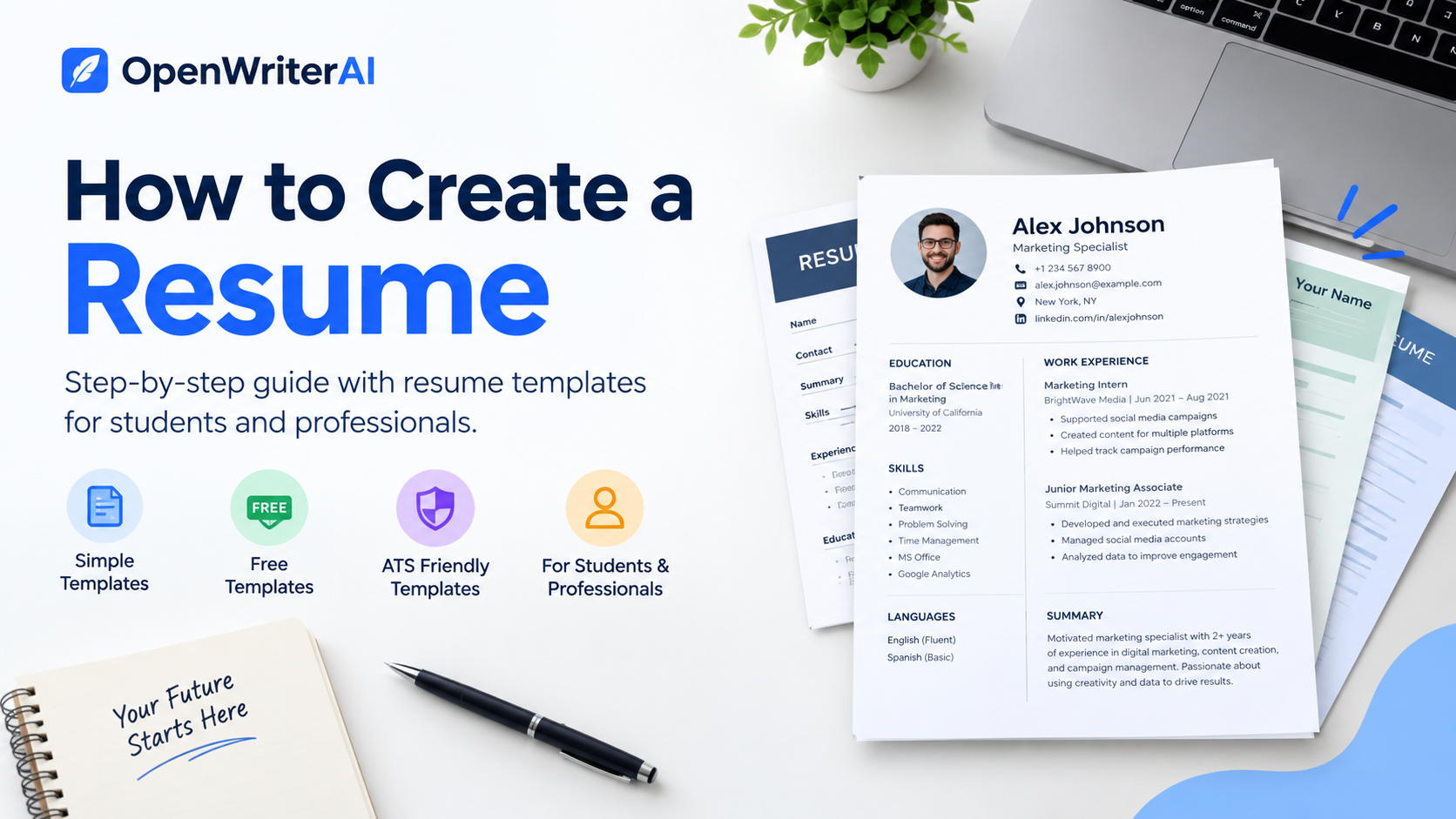
A simple resume template can make your resume easier to read and help you organize your information clearly. Choose a layout with clear headings, readable fonts, consistent spacing, and enough space between sections.
A clean design is usually easier to review than a resume with too many colors, graphics, or decorative elements. Your skills, experience, and qualifications should remain the main focus.
Using a Free Resume Template
A free resume template can save time when creating your resume from scratch. Templates provide a basic structure that you can customize with your own education, experience, skills, and achievements.
Before using a template, make sure the formatting is clean and easy to edit. You should also customize the content for each job instead of submitting exactly the same resume everywhere.
High School Resume Template
Students with limited work experience can use a high school resume template to organize their academic background, activities, skills, and achievements.
A high school resume can include education, academic achievements, volunteer work, extracurricular activities, projects, certifications, leadership experience, and relevant skills.
College Resume Template
A college resume template can help students and recent graduates present their education, internships, projects, skills, and achievements in a professional format.
If you do not have extensive employment experience, focus on relevant coursework, academic projects, internships, volunteer activities, and skills that demonstrate your abilities.
Professional Resume Template
A professional resume template provides a structured way to organize your work experience, professional skills, education, certifications, and achievements.
Choose a professional layout that matches your industry and keeps important information easy to find. The design should support your content rather than distract from it.
What Is an ATS Resume Template?
An ATS resume template is designed with applicant tracking systems in mind. Many companies use ATS software to help organize and process job applications.
To create an ATS-friendly resume, use standard section headings, clear formatting, relevant job-related terms, and a simple structure. Avoid unnecessary graphics, complicated tables, and decorative elements that may make the text difficult to process.
Resume Template Word: What Should You Look For?
A resume template Word format can be useful if you want to edit your resume using Microsoft Word or a compatible editor.
When choosing a Word resume template, look for a clean layout that allows you to easily edit headings, sections, dates, skills, and other information. Always check the final document for formatting or spelling errors before sending it.
Common Resume Mistakes to Avoid
Even a well-designed resume can become less effective if it contains unnecessary information or formatting problems. Avoid these common mistakes:
- Using a difficult-to-read design
- Adding irrelevant information
- Including spelling or grammar mistakes
- Using the same resume for every job without customization
- Writing long paragraphs instead of clear bullet points
- Adding skills that you do not actually have
- Using unnecessary graphics or complicated formatting
- Including incorrect or outdated contact information
How an AI Resume Builder Can Help
Creating a resume manually can take time, especially when you are unsure how to organize your experience, education, and skills. An AI resume builder can help you structure your information and create a professional starting point.
OpenWriterAI can help you organize your education, experience, skills, and other professional information more efficiently. You can use the tool to create a strong starting point and then review and customize your resume for the position you want.
Final Tips for Creating a Resume
When learning how to create a resume, focus on three important things: clear information, relevant content, and professional formatting.
Choose a resume template that fits your experience level, customize your resume for each opportunity, and carefully check your document before submitting it.
Whether you need a simple resume template, a free resume template, an ATS-friendly format, or a professional resume layout, make sure your most important qualifications are easy to find and understand.
Frequently Asked Questions
How do I create a resume for the first time?
Start with your contact information, write a short professional summary, add your education and relevant experience, list your skills, and include relevant achievements or certifications. Use a simple and readable format.
Can I create a resume without work experience?
Yes. Students and beginners can focus on education, projects, skills, volunteer work, internships, extracurricular activities, certifications, and achievements.
What is an ATS-friendly resume?
An ATS-friendly resume uses clear formatting, standard sections, and relevant information so applicant tracking software can more easily process the content.
Should I use a resume template?
Yes, a resume template can save time and provide a useful structure. However, you should customize the template and content according to your background and the position you are applying for.
Build Your Resume With Open Writer AI
Ready to create your resume? Use Open Writer AI to organize your professional information and create a resume more efficiently.
Start with your education, skills, and experience, then customize your resume to match your career goals and the opportunity you are applying for.
Found this helpful?